
Access the Device Info Menu
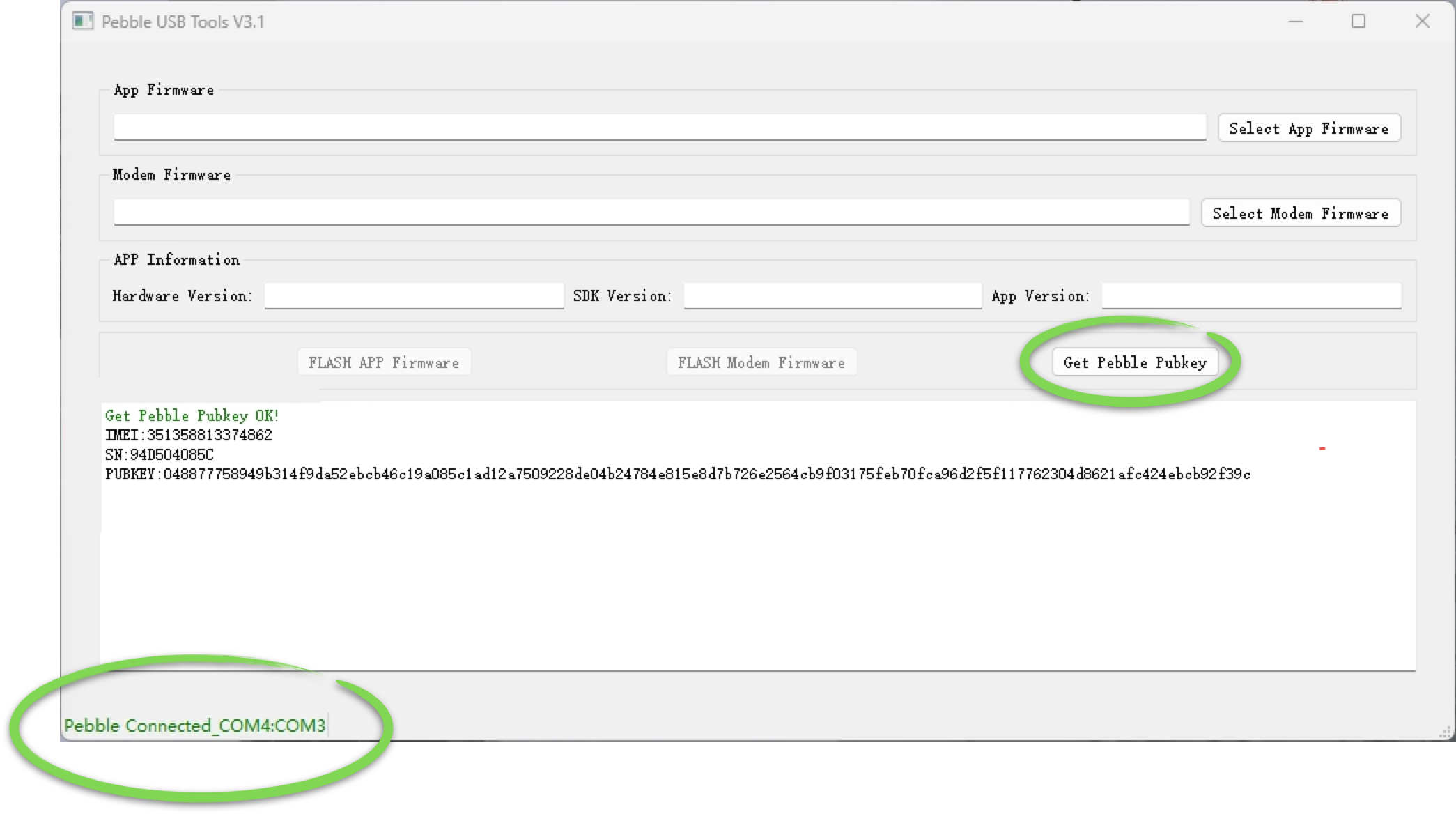
Opening the Info Menu on your Pebble Tracker will give you access to the IMEI and Serial Number, as well as allow you to obtain the device’s public key using the Pebble Desktop tool, if needed. https://youtu.be/c5uX2ePeQvARetrieve the Device Public Key
1. Install PebbleUSBTools
Make sure you installed the required driver and PebbleUSBTool by following the section “Install and run Pebble USB tools” in Online Firmware Update2. Access the Info menu in your Pebble Tracker
Check out the video in the previous section for a visual guidance:- Power off the device
- Press and keep pressing the arrow down
- Press the power button once
- Use the arrow keys to select the “About Pebble” and the power button to confirm
3. Retrieve the Public Key
Inside the Pebble USB tool, wait for the status bar to show the “Pebble Connected” message and then click “Fetch PubKey”