In scenarios where a DePIN project cannot integrate ioID directly into their device’s firmware, this approach enables the project’s cloud to manage ioID registration and message signing on behalf of the devices. In this setup, a “Proxy ioID Contract” serves as an intermediary between the project’s cloud and ioID contracts. The cloud acts as a “trusted entity” within the proxy contract, authorizing on-chain ioID registrations and binding them to the actual device owner.
IoID Web ToolsIoID Web Tools are designed to streamline experimentation and development for integrating IoID into DePIN projects. These tools, currently under development by the IoTeX Foundation, aim to provide a seamless and interactive user experience for creating and managing IoID-based projects. While this page explains how to register your project in IoID using the ioctl command line, you can achieve the same using the IoID Web Tools where you can list, and manage all your projects interactively, including deploying a default Device NFT contract. Deploy the ioID Proxy Contract
Deploy using Hardhat
If you haven’t already, clone the ioID-contracts repository:
git clone https://github.com/iotexproject/ioID-contracts
cd ioID-contracts && npm install
This account will control your ioID proxy contract, particularly for setting the “Verifier” address. The “Verifier” is typically your service account responsible for managing ioID registrations on behalf of the devices on the cloud sideEnsure you use a dedicated wallet account as the owner of your ioID Proxy contract. Whenever possible, consider using a hardware wallet for enhanced security on mainnet.
export IOID_STORE=0x60cac5CE11cb2F98bF179BE5fd3D801C3D5DBfF2
export PROJECT_REGISTRY=0x060581AA1A4e0cC92FBd74d251913238De2F13cd
npx hardhat run scripts/deploy-proxy.ts --network testnet
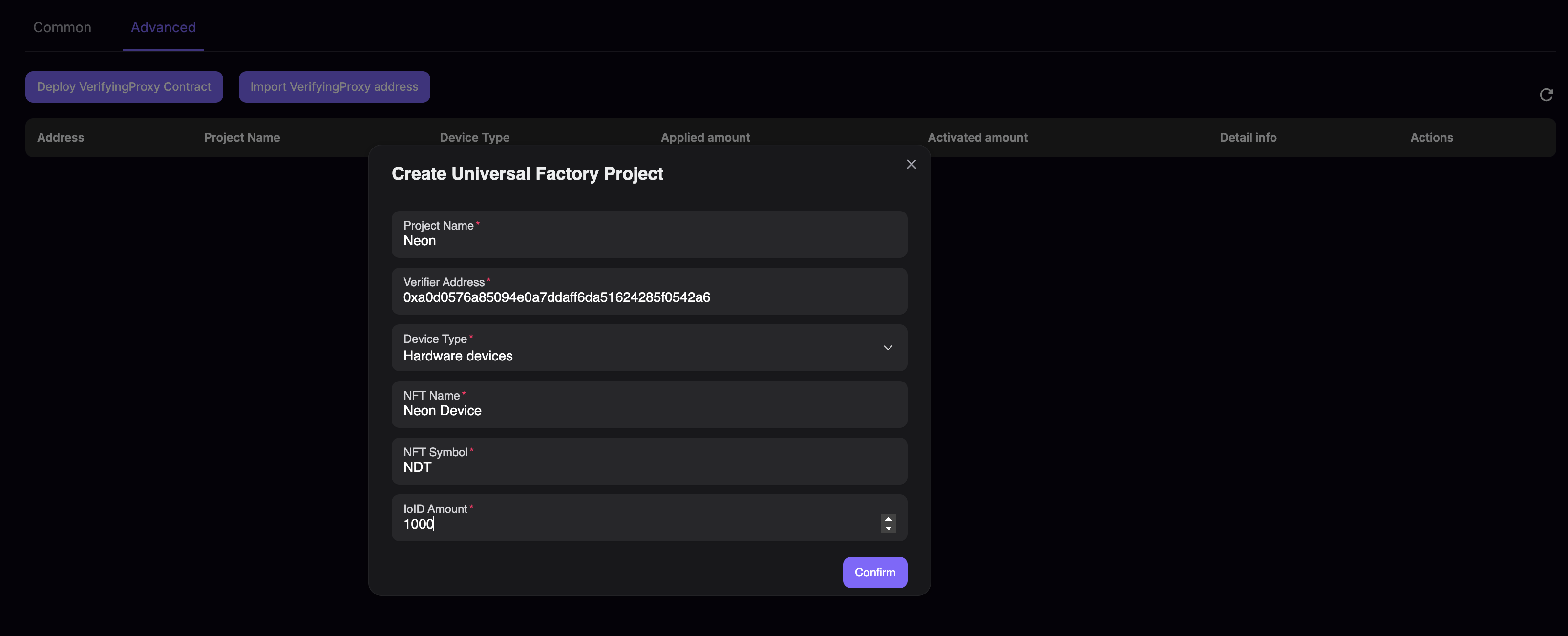
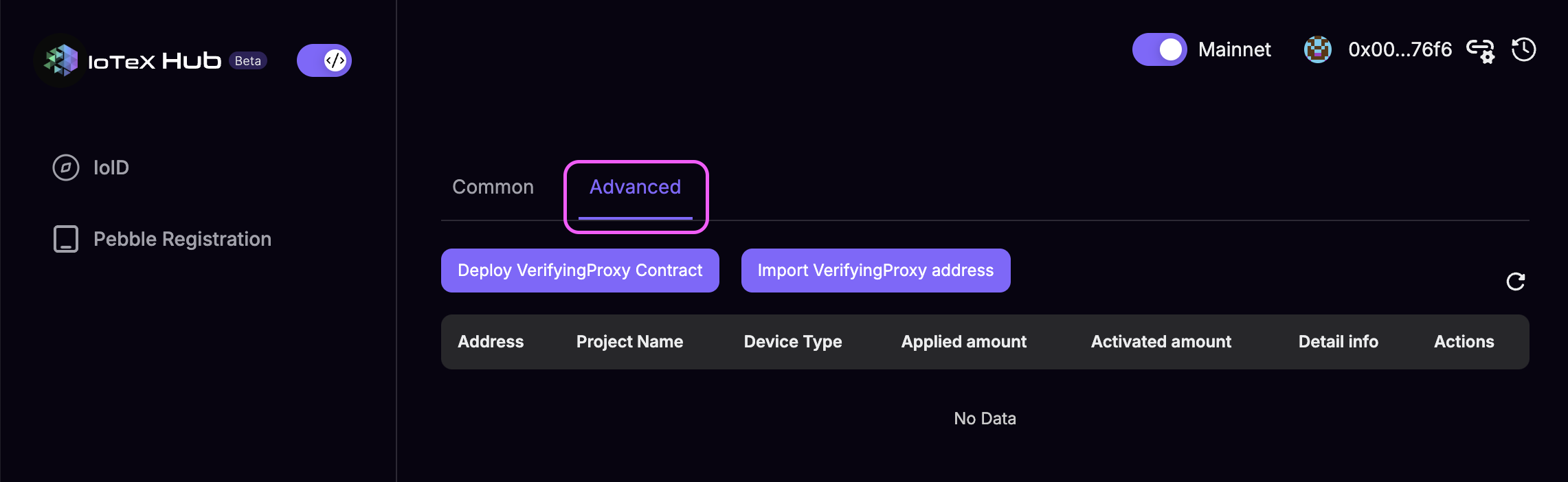
- Click the
Deploy VerifyingProxy Contract button to deploy a new Proxy contract, or
- Click the
Import VerifyingProxy Address button to import an already deployed Proxy
- Provice the required information then click
Confirm
Interact with the Proxy contract
Here is an example repository that shows how to generate ioIDs for your devices in the cloud and how to register them on-chain through the Proxy contract:
https://github.com/iotexproject/ioid-register-flow-demo/tree/main/examples/with-contract-flow