

Quick Start
Dapp developers can refer to the official The Graph documentation to create their Subgraphs for IoTeX: → The Graph Quick Start Guide Once the Subgraph is created inside The Graph Studio, it’s enough to initialize it as usual with the official CLI and select ethereum as the protocol and iotex as the network:You can copy the command above directly from your subgraph page to include your specific subgraph slug.
ethereum as the protocol, and iotex as the network:
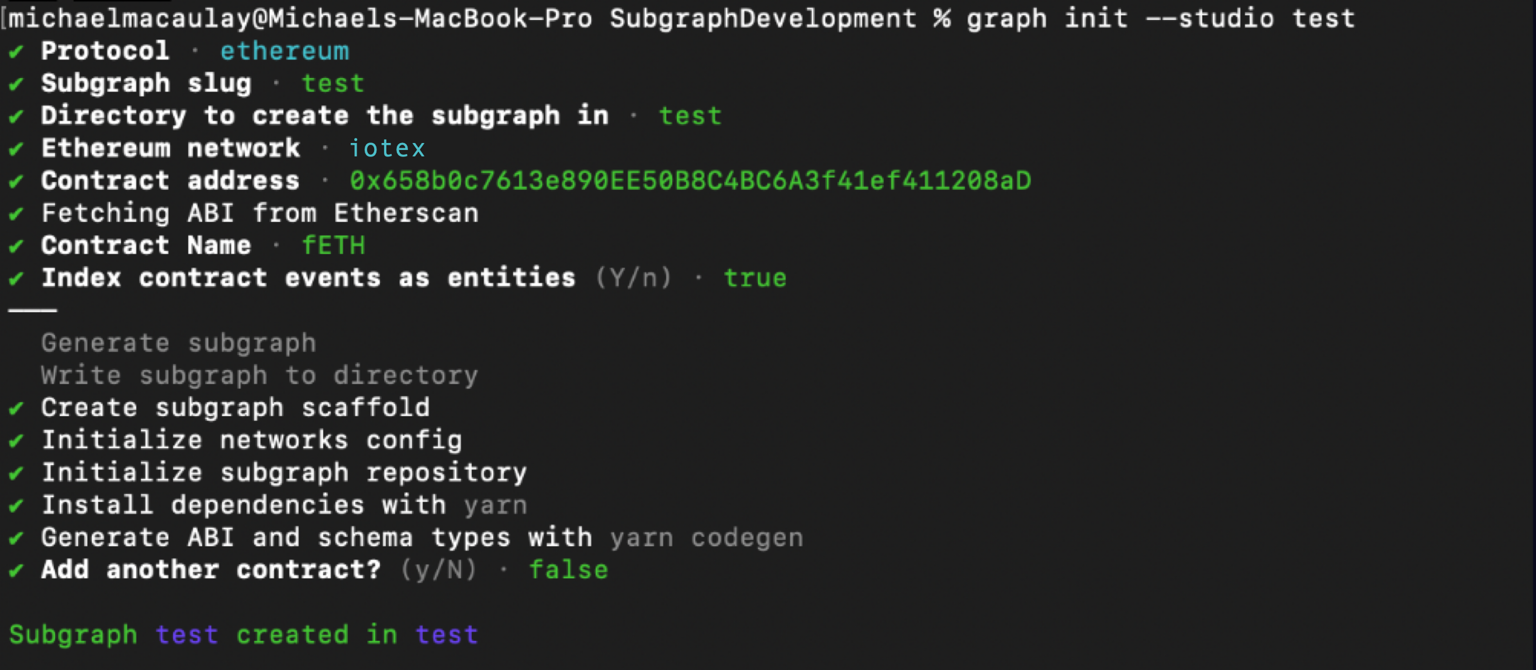 Simply have your contract verified on the block explorer and the CLI will automatically obtain the ABI and set up your subgraph. The default settings will generate an entity for each event.
Additional resources
- To explore all the ways you can optimize & customize your subgraph for a better performance, read more about creating a subgraph here.
- For more information about querying data from your subgraph, read more here.