

Installing the library
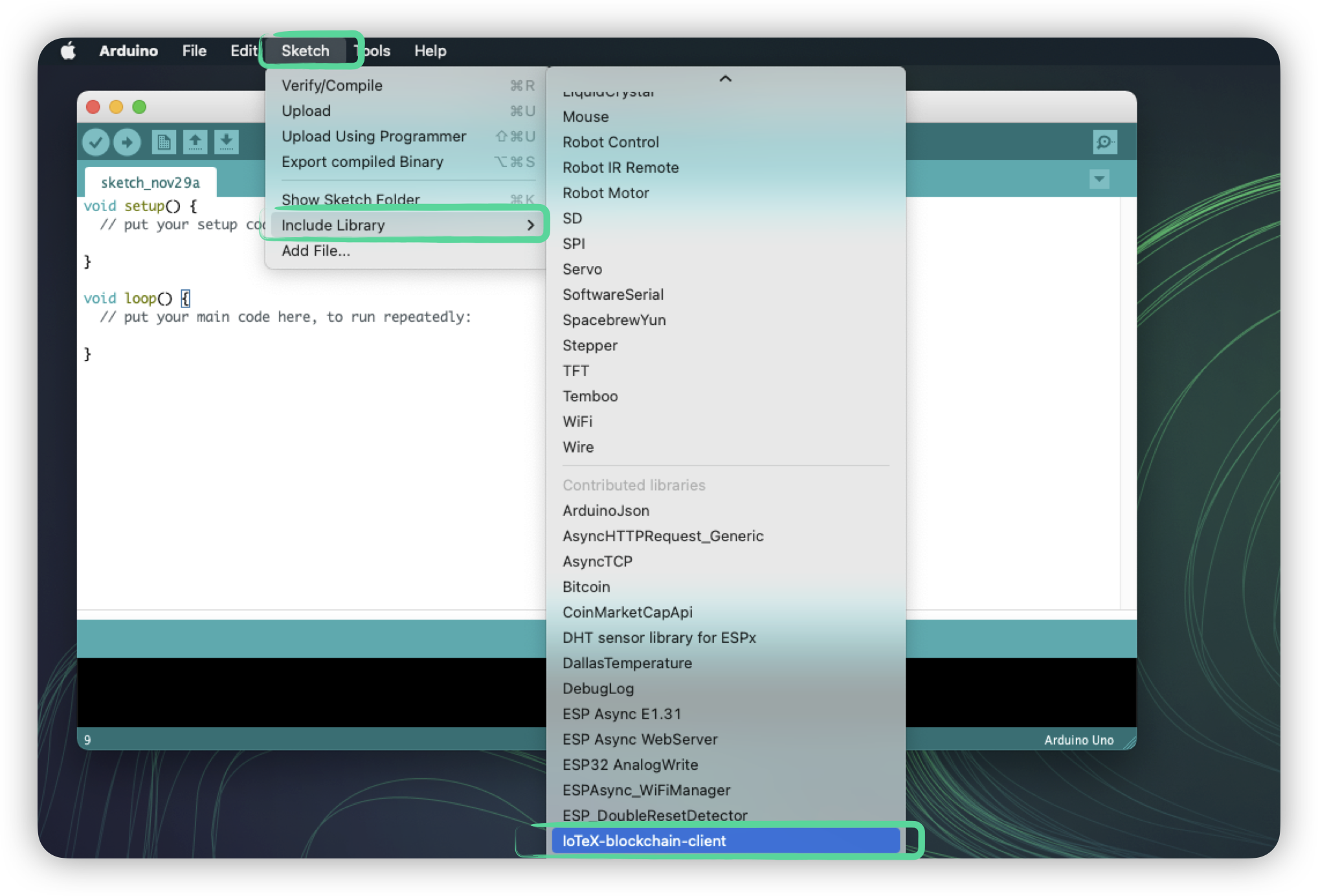
In Arduino IDE, go toTools->Manage libraries...
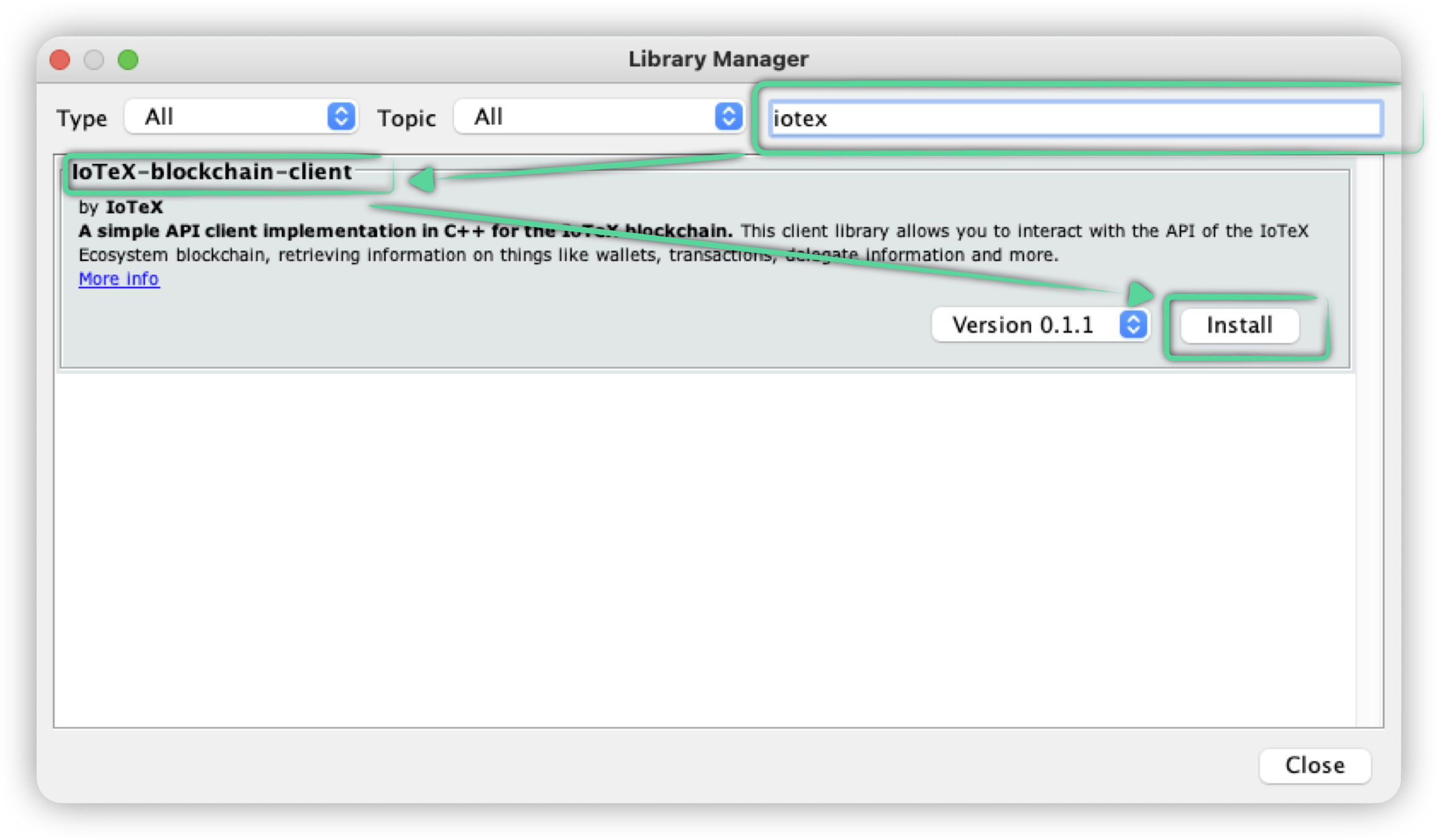
 In the Library Manager dialog, search for
 IoTeX-blockchain-client and click install
Dependencies
Using the Arduino IDE built-in Library Manager, also install the following libraries:- WiFiNINA : used for WiFi functionality in Nano 33 IoT
- FlashStorage : used for EEPROM storage emulation in Nano 33 IoT
Including the library in your sketch
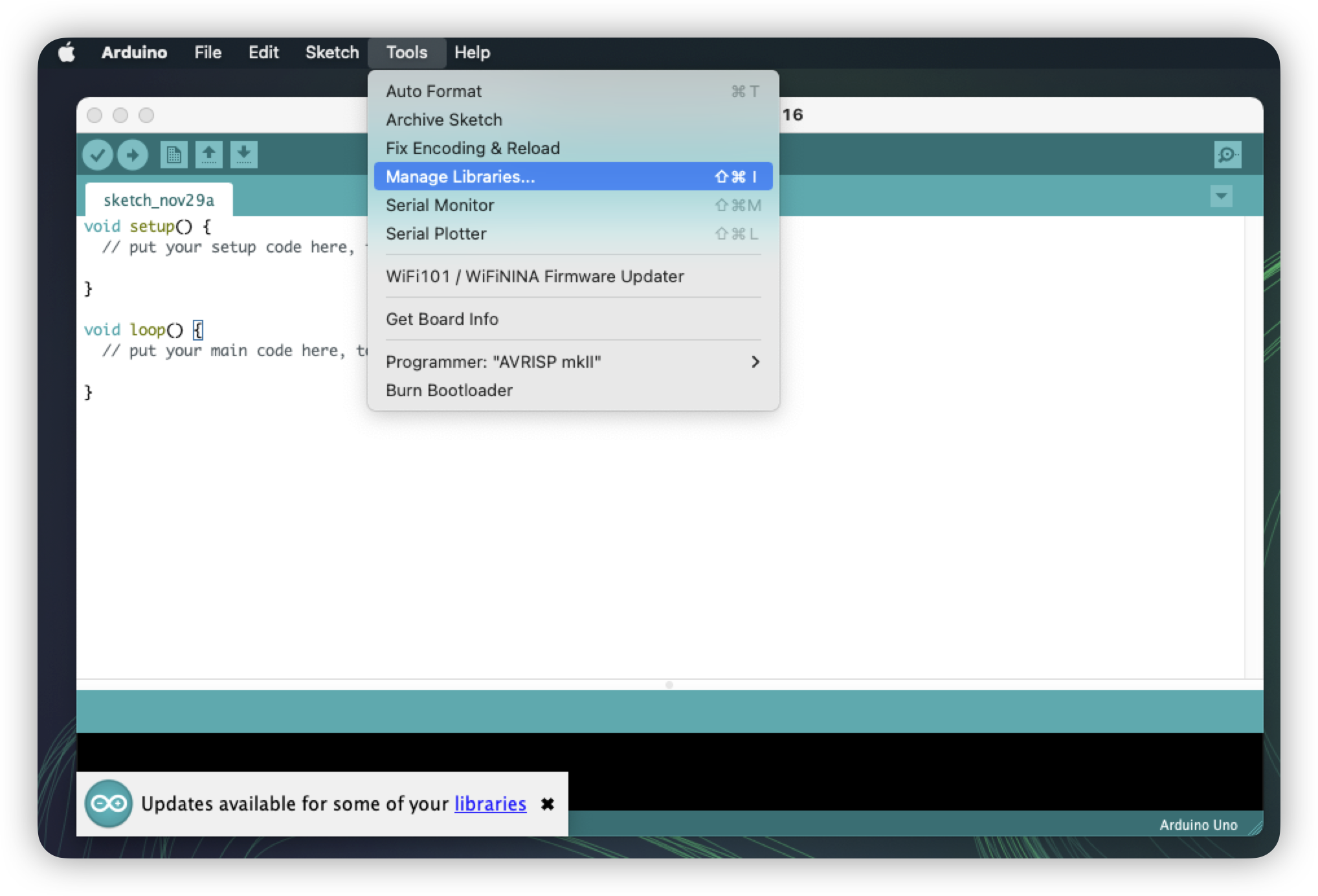
Go to Sketch->Include library and select IoTeX-blockchain-client. Alternatively, paste the following codeat the beginning of your sketch:
#include "IoTeX-blockchain-client.h"
Using the library in your sketches
Create theConnection object, passing the connection details:
Debug logs
Debug log level is set to NONE by default. The log level can be changed at runtime or at compile time. Logs are printed to theSerial serial port by default. You need to initialize the serial port in your sketch by calling Serial.begin(<baud rate>).
The log level can be set per module, and also globally. A log statement is printed if it’s level is higher than the log level configured for it’s module, and higher than the global log level.
Setting debug log level at run time
The log level can be set at run time using theIotexHelpers global object:
Setting per module log level
You can set the log level for a specific module. The existent log modules are:- “GENERAL”
- “HTTP”
- “CONTRACT”
IotexHelpers global object:void setModuleLogLevel(const std::string& module, IotexLogLevel level)
Eg. This will set the HTTP log level to DEBUG:IotexHelpers.setModuleLogLevel("HTTP", IotexLogLevel::DEBUG);
Setting the log level globally
You can also set the log level globally for all modules. Simply call the following method on theIotexHelpers global object:void setGlobalLogLevel(IotexLogLevel level)
Eg. This will set the log level globally to DEBUG:IotexHelpers.setGlobalLogLevel(IotexLogLevel::DEBUG);